Write on your worksheets.
Bring in a PDF and write on it like paper. When you send, Claude sees the printed problem too.
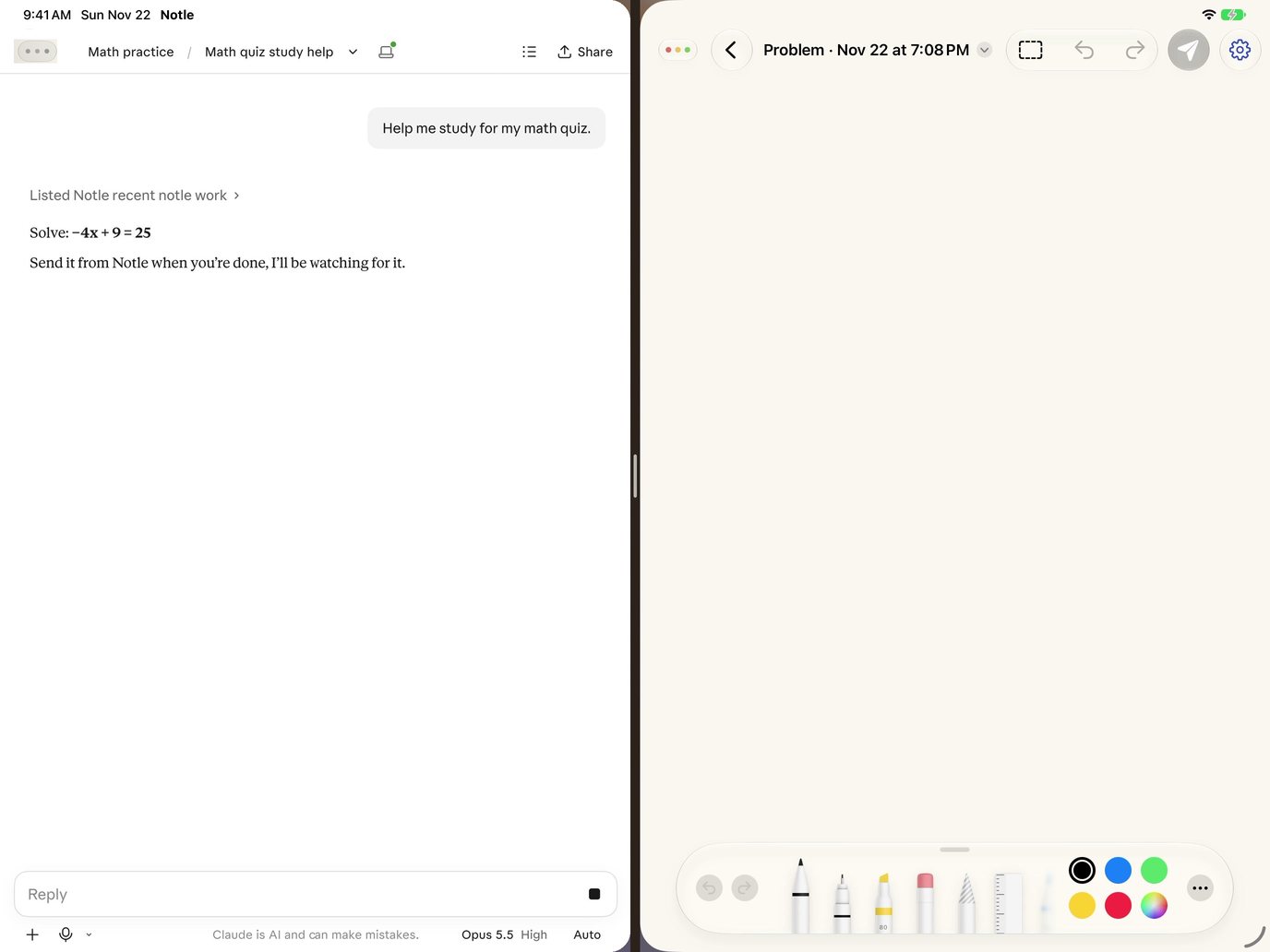
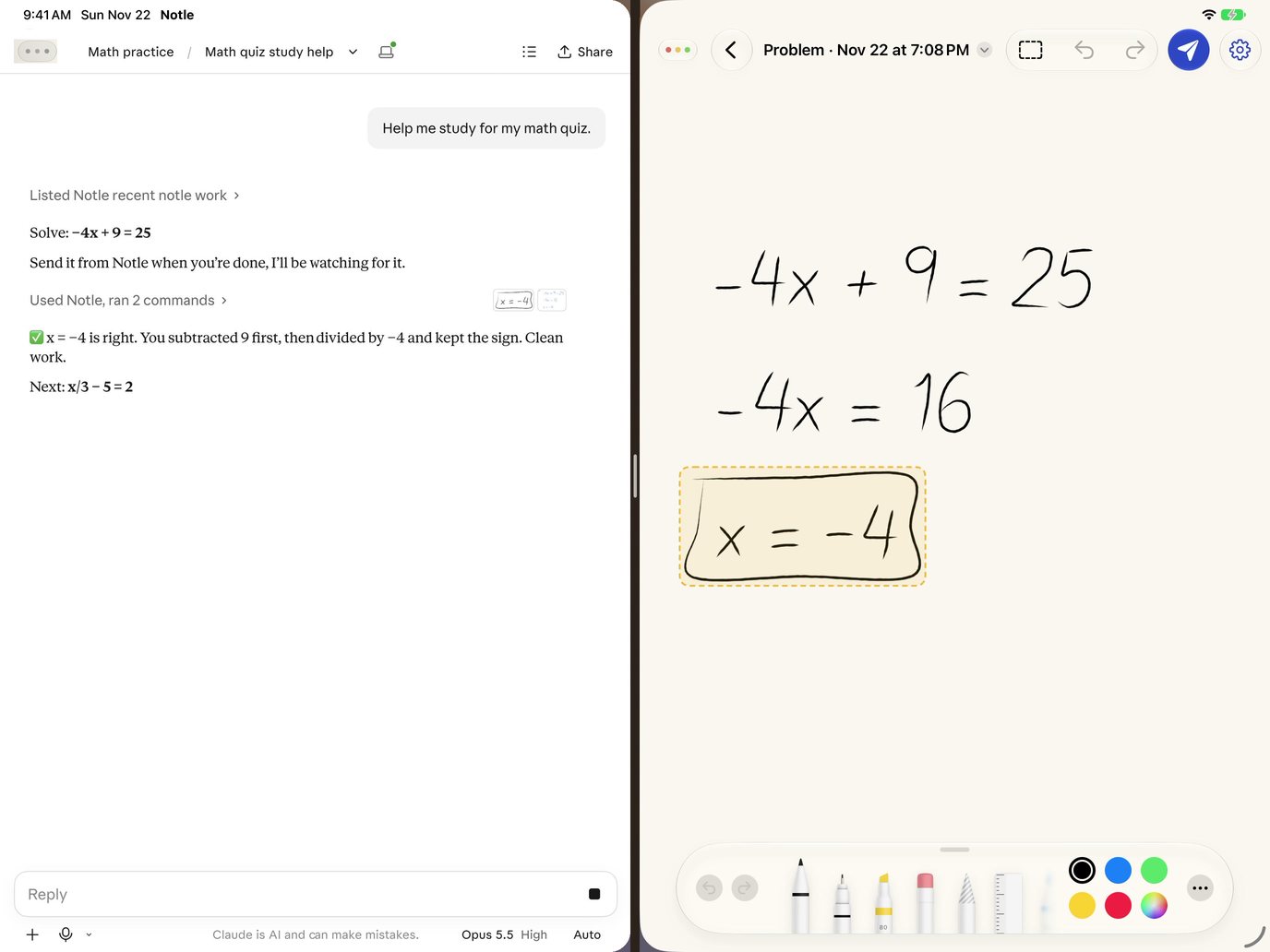
The example on the iPad: Claude and Notle side by side. Claude asks you to solve −4x + 9 = 25. In Notle you write −4x + 9 = 25, then −4x = 16, then x = −4, box the answer and tap Send. Claude reads your steps and replies: x = −4 is right. You subtracted 9 first, then divided by −4 and kept the sign. Next: x/3 − 5 = 2.
 Notle
A notes app for iPad that works with your own Claude. Write by hand, tap Send, and Claude sees exactly what you wrote.
Download Now100% free.
Two ways to use Notle. On one iPad, with Claude and Notle side by side in Split View. Or with your Mac: write on the iPad and ask Claude on the Mac. In the example, Notle shows 4x − 9 = 23, 4x = 32 and x = 8 boxed, and Claude on the Mac replies: Your answer, x = 8, is correct.
Claude and Notle side by side in Split View. Write on one half, ask Claude on the other.
Write on your iPad, then ask Claude on your Mac. It's the same Claude account, so your work is there.
Notle is a full notes app first, made for class, homework and studying.
Bring in a PDF and write on it like paper. When you send, Claude sees the printed problem too.
Choose the quadrants, how far each axis goes and what to count by. Clean, numbered axes land on your page.
Play it back and your writing comes in as you wrote it. Tap a line to hear that moment.
Circle a question, then its answer. Study them on a schedule that brings the hard ones back sooner.
Cover your work, then tap to peel it back. Claude still sees what’s under it.
Find a note by anything you wrote. Notle reads it on your iPad, not online.
Lined, grid, dot, Cornell, music and more, on an endless whiteboard or real notebook pages.
29 more, all free.
Send takes the whole page. Typed text, photos and worksheets go to Claude with your handwriting.
The first time you tap Send, sign in with Apple or Google.
Open the setup link we email you on the device you use Claude on. Tap Add, then Connect.
Tap Send and wait for Sent. Then ask Claude to check your latest Notle work.
You need your own Claude account, on a plan that can add custom connectors. Setup help